Storm damage restoration gets hard to manage when every salesperson, project manager, and field tech handles the job a different way. One rep takes detailed inspection photos of every side of the house. Another takes a few pictures and some notes. One project manager updates homeowners the whole way through. Another only calls when something goes wrong. The company may still do good work, but the process is unpredictable.
That unpredictability gets expensive when storm volume goes up. Weather can change production schedules, adjusters can ask for more documentation, homeowners have questions, and crews can find problems nobody saw at the first inspection. You can’t control every part of storm restoration, but you can control how your team responds.
Standard field systems give every job a repeatable process from inspection to closeout, and they make it easier to give every homeowner the same experience. It also helps to use the right storm restoration software.
What Software Do Successful Roofing Companies Use to Manage Their Business?
What Standardization Means in Storm Damage Restoration
Roofs take a big hit in a storm. One BNO News report estimates that roofs account for 70% to 90% of insured residential losses from catastrophes, though it doesn’t name the source of that estimate. Angi says homeowners spend $2,642 to $22,127 on storm damage repairs, with most paying around $12,384. If you want homeowners to hire you for that work, you need a process they can trust.
Standardizing your field work doesn’t mean forcing every job through the exact same steps. Every property is different, and some jobs need extra inspections, documentation, or communication. The goal is to standardize the steps that should happen on every job, and give your team a clear way to handle the exceptions.
Your system should tell people what info to collect, which photos to take, when homeowners get updates, what problems need to be escalated, and who owns each next step. A salesperson shouldn’t have to remember a different process from the one another salesperson uses. And production shouldn’t have to piece together a job’s history from text messages and a call to the salesperson.
This matters most during a major storm. When your pipeline suddenly fills up, experience and memory aren’t enough to keep everything moving. You need a process that can handle volume without dropping documentation, communication, or customer service. Drone technology can help speed up insurance claims, too.

Start With a Standard Storm Damage Inspection
The inspection is one of the most important things to standardize because it creates the info the rest of the job depends on. If your inspections change from person to person, everything after it gets inconsistent too. Estimating, production planning, homeowner updates, and documentation all get harder when the first inspection is incomplete.
Create a clear inspection process that spells out what your field team needs to check and document. Depending on your company, that can include roof slopes, all sides of the house, visible storm damage, roofing parts, gutters, damage to other parts of the property, existing conditions, measurements, and other property details. The checklist should be specific enough that a newer employee can follow it without leaning on someone else’s personal habits.
The goal isn’t to collect as much info as possible. It’s to collect the right info every time. When a project manager opens the job later, they should be able to tell what the field rep saw, what was documented, and what needs to happen next, without calling the salesperson.
Create a Consistent Photo Process
Photos are part of the job record, so treat them that way. Don’t let them get uploaded whenever someone remembers. Storm restoration often needs people who weren’t at the inspection to understand the property, like your project manager, production team, office staff, or the homeowner.
Create a standard photo sequence for your field team. You might require property overviews, each roof slope, close-ups of hail damage or other storm damage, all sides of the house, key roof parts, damage to other areas, and anything else your process requires. The exact list should fit the type of work you do and what your market needs.
Organization matters as much as volume. A rep who takes 100 random photos doesn’t necessarily document better than one who takes 30 well-organized photos that clearly show the property and the damage. Your system should make it easy to tell what each photo shows and tie it to the right job.
Standardize the Sales-to-Production Handoff
A weak handoff can undo a strong inspection and a good sale. The salesperson knows what happened because they were there from the start. But production needs that info without calling the salesperson every time a question comes up. When key details live in someone’s memory or personal messages, the job depends on one employee.
Create a standard handoff that gives production what it needs to take over the job. That can include the signed agreement, inspection documents, photos, estimate, scope, customer details, material choices, notes, and any promises made to the homeowner. If something unusual happened during the sale, write it down where the next person can find it.
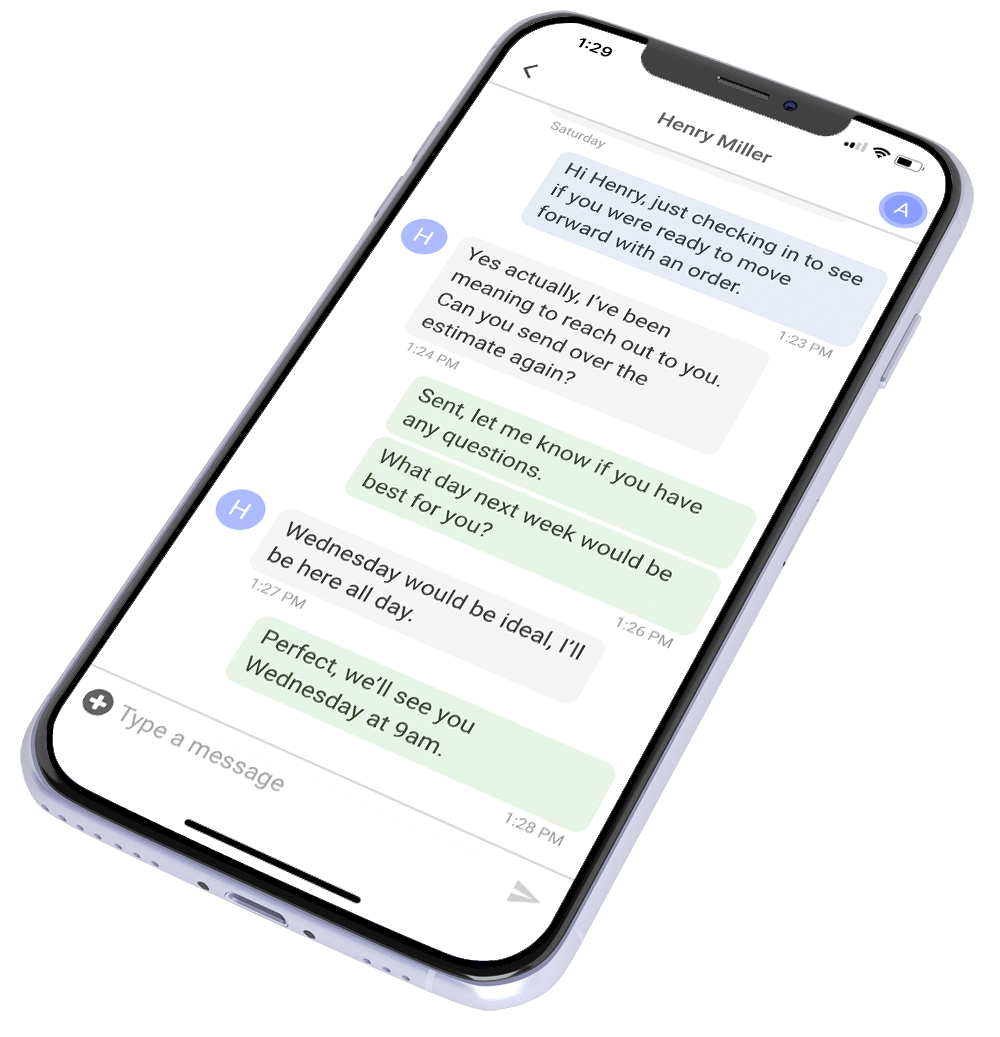
This is where a CRM can do more than store customer names. A communication-first CRM like ProLine can keep customer info, conversations, tasks, project stages, and follow-up tied to the same record. That makes it easier for the next employee to understand the job without digging through disconnected systems.
Give Homeowner Communication a Standard Process
Homeowners don’t know your restoration workflow. They may not know why an estimate is being reviewed, why a production date changed, what happens after they sign, or why a crew can’t start right after an inspection. When contractors leave those questions unanswered, homeowners often read the silence as a problem.
Build homeowner updates into the field system instead of leaving them up to each employee. Your schedule can vary, but updates should happen at key milestones like the finished inspection, signed agreement, production prep, scheduling, schedule changes, production, completion, and closeout. If something changes in between, the homeowner shouldn’t have to find out by calling your office.
The point of these updates isn’t to send messages just to look busy. Each one should help the homeowner understand what happened, what’s happening now, and what comes next. That builds trust because the homeowner can see your company is actively managing the job and hasn’t disappeared after the contract was signed.
Define What Happens When the Job Goes Off Track
Standard processes are easy to follow when everything goes to plan. Storm restoration gets much harder when something unexpected happens, so your system needs clear escalation rules.
Your team should know what to do when extra damage turns up, when the real condition of the property doesn’t match the original scope, when a homeowner asks for a change, when weather delays production, or when a crew finds a problem that needs a management decision. Without an escalation process, employees have to guess who should get involved and what should happen next.
You can’t get rid of every exception, and in storm work you won’t. Instead, give exceptions a clear path. Decide which situations need the salesperson, project manager, production manager, or office team, and create a task or workflow that makes ownership obvious. Problems are much easier to fix when everyone knows who’s responsible. Picking the right hail app can help too.
Standardize Production Documentation
The inspection is only the start of the paper trail. Your production team also needs a clear standard for what to confirm before work begins, what to document during production, and what to finish before a job counts as done.
Your requirements might include pre-production checks, material verification, production photos, change documentation, cleanup confirmation, completion photos, customer concerns, and final inspection info. The details depend on your company, but they should be written down and easy for the right people to find.
Your CRM can help here too. Instead of expecting a project manager to remember every step on every job, you can use tasks, workflows, and project stages to make required steps visible. Managers can then see which jobs are moving and which are stuck because a step wasn’t finished.
Build Your Workflow Around Meaningful Milestones
A storm restoration pipeline should make the status of every job easy to understand. If a manager has to call several people or check multiple systems to learn where a job stands, the workflow is creating friction.
Pick a manageable number of milestones that actually show progress. Your process might move from lead to inspection, estimate, sold, production ready, scheduled, in production, completed, and closeout. You may need more stages for your company, but don’t create so many that employees stop knowing what they mean.
Each milestone should have a clear definition and a next action. That makes your pipeline useful to both employees and managers. Instead of just showing where a job sits, it shows what needs to happen to move it forward.
It also gives you better reporting. If a lot of jobs are stuck at the same stage, you may have a process bottleneck. If one employee’s jobs keep sitting with no activity, you may have a workload or training issue. A standard process turns those problems into something management can see and fix.

Make Closeout Part of the System
A job isn’t done just because the crew finished installing the roof. Closeout is the last quality check, and one of the last chances to strengthen the homeowner’s experience.
Create a closeout checklist that confirms the required documents are complete, final photos are uploaded, open customer concerns are handled, the paperwork is done, and the job is ready for its final admin steps. The homeowner should also know the work is finished and what happens next.
This last stage matters because customers remember the whole experience, not just the install. A contractor who communicates well during the inspection but gets hard to reach after production hasn’t given the homeowner a consistent experience. Your field system should carry the same communication standard all the way through completion.
Build a Storm Restoration System That Scales
Storm season will always bring things you can’t control, but your field process shouldn’t be one of them. Standard inspections, documentation, handoffs, homeowner updates, and closeout steps give your team a repeatable system that keeps jobs moving even when volume spikes.
The right CRM makes that system easier to run and manage. See how ProLine can help you standardize your storm restoration workflows, improve communication, and keep more jobs moving from first inspection to final closeout.
FAQs
What should a storm damage restoration field system include?
A complete system should cover inspections, photo documentation, sales-to-production handoffs, homeowner communication, escalation steps, production documentation, scheduling, and closeout.
Why standardize storm damage inspections?
Standard inspections make sure every job starts with the info your estimating and production teams need. They also cut down on job knowledge that only lives in one employee’s memory.
How can a CRM help with storm restoration workflows?
A CRM can connect customer info, communication, tasks, project stages, and reporting. That gives employees a consistent workflow and gives managers a view of stalled or unfinished jobs.
What’s the biggest benefit of standard field systems?
Consistency. Your company depends less on individual employees remembering every step, which makes it easier to keep service quality up as job volume and team size grow.