Most roofing software programs look similar from the outside. They all promise to help you track jobs, manage customers, and close more sales.
But look under the hood and the differences become obvious fast. One type of system was built to store information. The other was built to move jobs forward.
That structural gap matters more today than it ever has. According to the 2026 State of the Roofing Industry Report, 58% of roofing contractors now use CRM software. But adoption alone doesn’t mean performance. The right roofing software programs actively drive communication, conversion, and cash flow. Legacy systems just sit there and hold data.
This article breaks down the structural differences you need to understand before your next software decision, whether you’re switching platforms or evaluating your current setup.
What “Legacy” Really Means in Roofing Software
Legacy doesn’t necessarily mean old. It means architecturally limited. For the purposes of this article, we’re using ‘legacy’ to describe software designed primarily around record-keeping, with sales, communication, or automation capabilities added later.
In a fragmented or poorly integrated setup, that can look like:
- You manage leads in one tool and follow-up in another
- Your quotes live in a spreadsheet or PDF templates emailed after the fact
- Homeowner communication happens through personal text messages and email threads that nobody else can see
- Supplement tracking runs on Excel or a completely separate platform
- Reporting requires exporting data and building your own formulas
The result is what John DeLaurier, co-founder of ProLine, describes as “stitching.” You’re spending time managing the connections between your tools instead of managing your business.
This stitching problem has real costs. ServiceTitan’s 2026 Roofing & Exteriors Market Report, which surveyed 1,018 roofing-focused companies, found that only 6% selected cost and affordability as a top technology-purchasing consideration. Those contractors are done buying the cheapest option. They want systems that actually work together.
How Modern Roofing Software Programs Are Built Differently
The strongest modern platforms move beyond record-keeping by connecting data to workflows, communication, and automation.
The architecture reflects that. Instead of storing information in separate modules that don’t talk to each other, modern roofing software programs treat every interaction—a lead coming in, a quote going out, a homeowner asking a question—as a connected event that should automatically trigger the next step.

That changes everything about how the business operates:
Leads Enter a Pipeline, Not a Spreadsheet
When a homeowner fills out a form or calls your office, modern software captures that lead immediately and assigns it to a pipeline stage. Follow-up actions can be triggered automatically. No one has to manually create a row in a spreadsheet and remember to check it tomorrow.
Speed is now an expectation, not an advantage. Contractors who are slow to respond lose out to those who are fast. But speed only happens when the software is built to make fast response easy, routing leads to the right person and triggering automated outreach when no one is immediately available.
Communication Stays in One Place
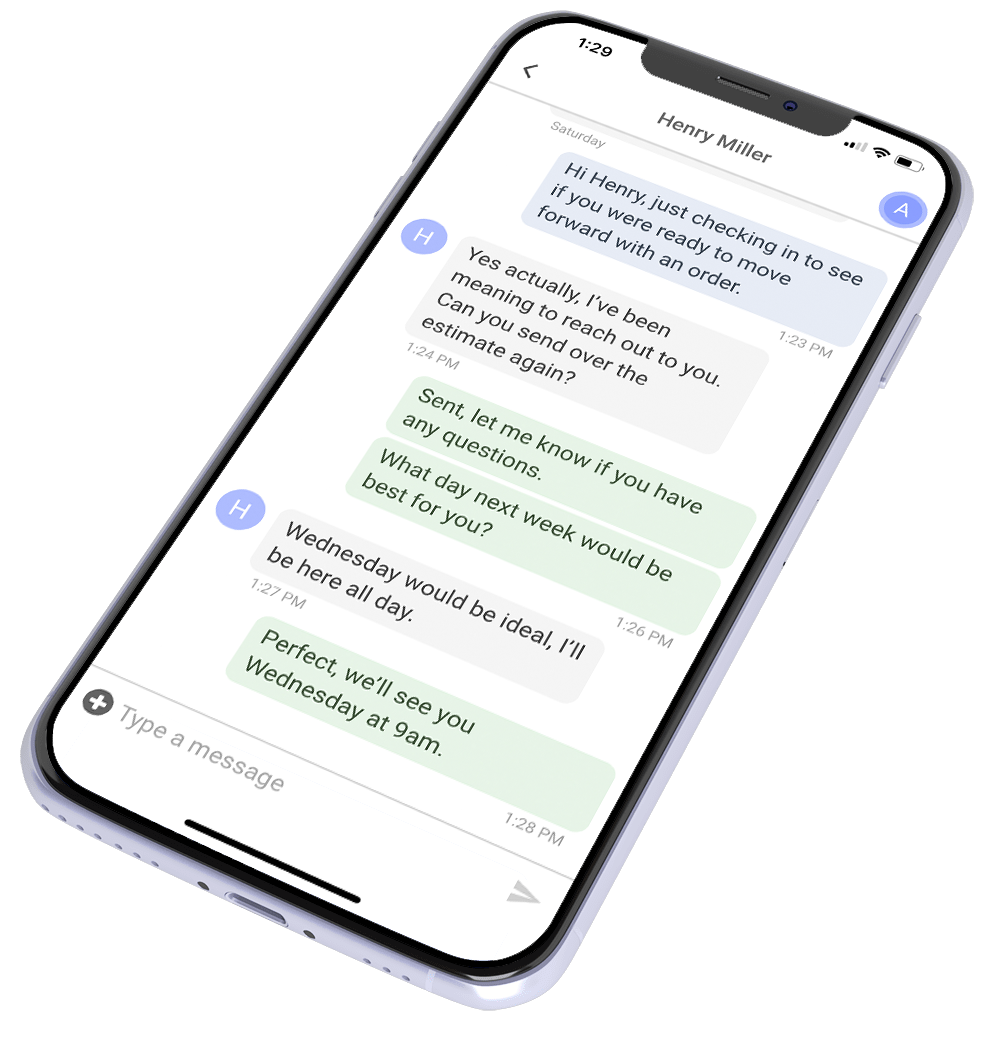
In legacy systems, communication is fragmented. Your salesperson texts from their personal phone, your office manager emails from their inbox, and the homeowner never knows who to contact. When that rep leaves, the conversation history goes with them.
Modern roofing software programs centralize all of it: texts, calls, emails, and job photos in a single customer record. Anyone on the team can see where the relationship stands without asking.
This is what ProLine calls communication-first CRM design. The relationship isn’t just tracked: it’s actively managed through the software, which is what makes the difference between a missed follow-up and a closed job.
Quoting and Contracting Happen in the Field
One sign of an outdated workflow is having to return to the office to prepare and send a proposal. Mobile quoting lets a rep create, present, and collect a signature while still with the homeowner.
That speed can change close rates. A homeowner who receives a professional proposal with a digital signature option before you’ve left their driveway is in a completely different emotional state than one waiting two days for a PDF. The gap between those two experiences is the gap between a legacy and modern roofing software program.
Supplement Workflows Are Built In, Not Bolted On
Insurance supplements represent significant revenue recovery for many roofing companies, but roofing companies often manage supplements through spreadsheets or separate tools. Contractors end up tracking supplements in Excel, using a separate supplement management platform, or worse: losing track of them entirely.
Modern roofing platforms integrate supplement tracking workflows directly into the job record, so the status of every supplement request is visible alongside the rest of the project. If you’re still managing supplements in Excel spreadsheets, you’re likely leaving revenue on the table.
AI Is Native, Not an Add-On
AI is becoming more common in roofing software, but there is a difference between AI connected to your CRM data and a standalone tool with no access to your workflows or customer history. That means voice agents that respond to inbound calls after hours, AI-assisted follow-up messaging, and automated review requests that go out after a job closes.
AI adoption in roofing has jumped significantly in recent years, but most contractors using AI are accessing it through external tools like ChatGPT rather than features built into their CRM. ServiceTitan found that 25% of surveyed contractors use external LLMs such as ChatGPT or Gemini, while only 4% use AI built into their CRM. That gap is the difference between a modern platform and a legacy system with a chatbot tacked on.
Side-by-Side: What This Looks Like in Practice
The table below maps the most important functional areas against what legacy and modern roofing software programs actually do differently:
| Feature | Legacy Systems | Modern Platforms | Business Impact |
|---|---|---|---|
| Lead capture | Manual entry, delayed | Automated, real-time | Fewer missed leads |
| Follow-up | Spreadsheet reminders | Automated sequences | Higher close rates |
| Quoting | Office-based, slow | Mobile, on-site | Faster decisions |
| Supplement tracking | Excel or manual | Integrated workflow | Recovered revenue |
| Team communication | Phone/text fragments | Centralized inbox | Fewer dropped balls |
| Reporting | End-of-month guesses | Real-time dashboards | Faster decisions |
| AI tools | None or bolt-on | Native integration | Less manual work |
Every row in that table represents a real operational decision your team makes daily. Legacy systems require humans to fill the gaps between each column. Modern platforms automate the connections.
The Real Cost of Running Legacy Roofing Software
It’s tempting to assume legacy software costs less. It often does, until you add up what it costs to operate it.
If your system depends on a human to respond, a lead that comes in at 7 p.m. Friday may sit untouched until the office reopens. A modern platform with AI agents responds automatically, qualifies the lead, and potentially schedules an inspection before your competitors have seen the notification.
Or consider supplementing. If your team is manually tracking 40 open supplement requests across jobs in various stages, how many fall through the cracks? Each missed supplement on a $15,000 job can cost hundreds or thousands in uncollected insurance revenue.
Higher revenue on a legacy system means more complexity, more spreadsheets, and more dropped balls. The scale that should be exciting becomes a liability when the software can’t keep up.
Growing roofing operations, especially those managing multiple locations or franchise territories, run into this wall faster than smaller shops. If you’re trying to consolidate your tech stack across locations, a legacy system can become a structural barrier to growth.

What to Actually Watch During a Software Demo
Most software vendors lead with the features that look most impressive on a screen share. Here’s what to look for instead:
- How does a new lead get into the system? Ask them to show you the moment a homeowner submits a web form or calls in. Where does it go? Who gets notified? What happens automatically?
- Where does homeowner communication live? Ask to see an actual customer record. Can you see every text, call, and email? Can any team member pick up the conversation?
- Can a rep create and send a quote from a phone on a job site? If the rep still has to return to the office to finish the quote, the mobile app hasn’t eliminated the old workflow
- What happens when a rep leaves? All their conversations, notes, and pipeline history should stay in the system, not walk out the door with them.
The strongest modern platforms make these things simple to demonstrate because the architecture supports them natively. Legacy systems tend to get vague when these questions come up.
WATCH: What Software Do Successful Roofing Companies Use to Manage Their Businesses?
How ProLine Approaches This Differently
ProLine was built on a single premise: communication is the foundation of trust, and trust is the foundation of the sale.
ProLine is designed around improving how roofing companies communicate with homeowners. Automated follow-up. Centralized texting. AI agents that answer calls when the office is closed. On-site quoting with digital signatures. Review requests that go out automatically after a job closes.
When you’re evaluating AI tools for your roofing operation, the question isn’t whether AI does something impressive in a demo. It’s whether it actually makes the homeowner experience better and the rep’s job easier..
ProLine is a communication-first CRM built specifically for roofing contractors. The difference is visible in every workflow.
Frequently Asked Questions
What is the difference between legacy and modern roofing software programs?
Legacy roofing software programs were designed primarily to store information and require manual action to move anything forward. Modern platforms are built around communication and automation, meaning the software itself triggers the next step when an event happens, like a new lead arriving or a job closing.
Can I keep my existing tools and just add a modern CRM on top?
You can keep existing tools, but every additional system creates another handoff your team has to maintain. Evaluate whether the integration reduces work or simply moves information between disconnected workflows.
How do I know if my current roofing software is limiting my growth?
The clearest signal is whether your team is managing the connections between their tools instead of managing the business. If you’re manually moving data between systems, chasing reps for updates that should be automatic, or losing track of supplement requests and follow-ups, your software architecture is holding you back.
The Software You Use Decides the Business You Can Build
If your team is spending more time managing their tools than managing homeowner relationships, that’s the sign. The technology should work for the business, not the other way around.
ProLine is a communication-first CRM built to help roofing contractors sell more jobs and make it home for dinner. See how it works for your operation.